Auto is onSwitch to MANUAL and aim it yourself, or SCAN and it sweeps the room.

CAM 1280×800 · MODE AUTO · 24 FPS

SIMThe demos on this page are simulations, not footage from a turret. In the HUD demo a hit pops the balloon for fun. On the real turret, the laser only marks it and the app keeps score.

It sees. It locks. It marks.

A desk turret you 3D-print and build. It finds balloons and marks each one with a red laser dot. Digital kit from $99. You bring about $180–260 of parts and a Mac with Apple silicon.

Build your own
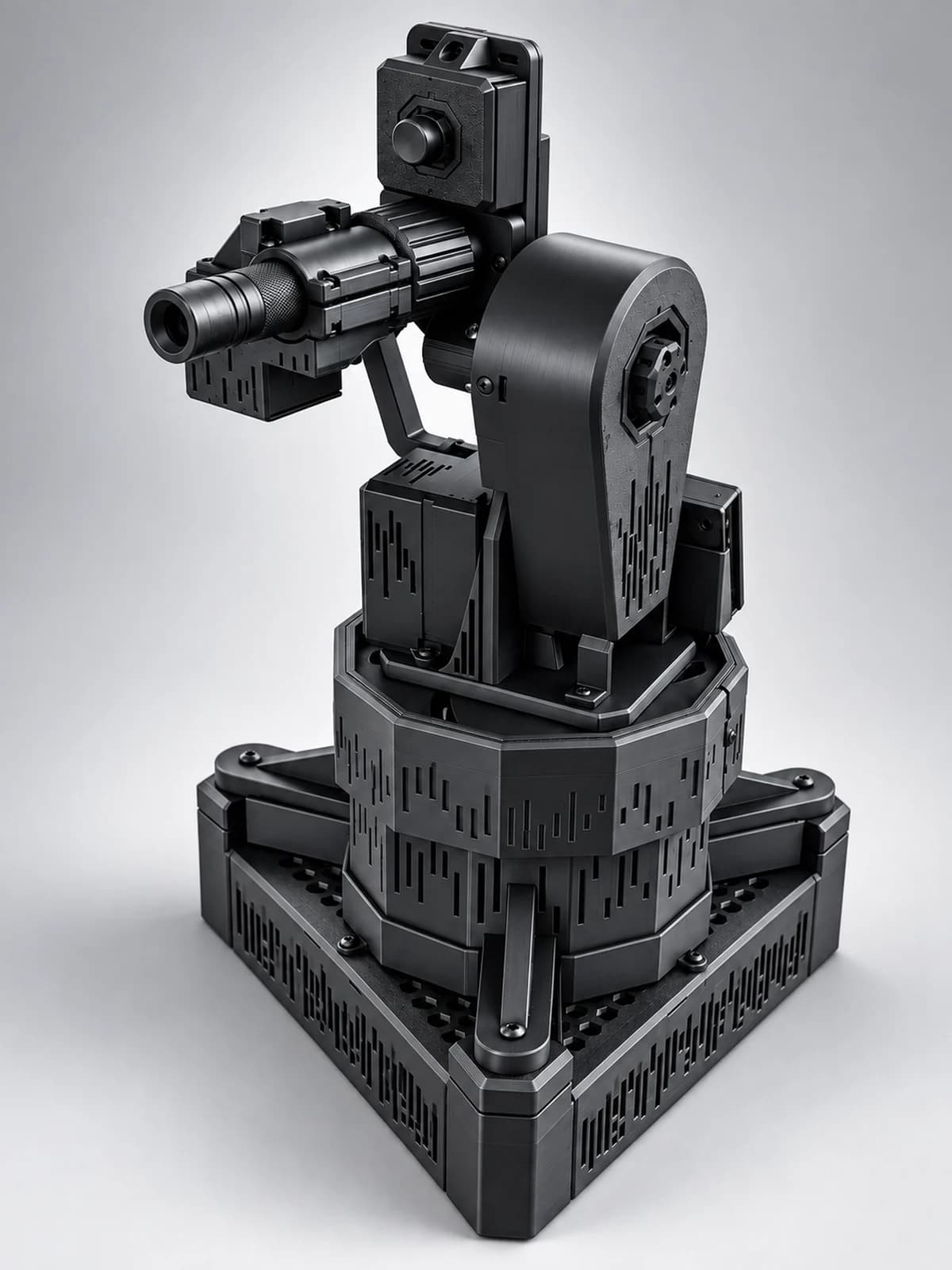
A render of the final build: the camera on top of the head, the laser pointer beside it, the tilt cover with its octagonal hub, the faceted drum and the triangular base.Render · the final build
00 · Unit

The turret you build

All black, printed on your own printer or by us. The camera and the laser pointer ride a pan-tilt head on a faceted drum, over a triangular base that holds the electronics.

Print
14 platesabout 41 h and 910 g of PLA
Drive
2× NEMA 17TMC2209 silent drivers, direct pan, belt-driven 5:1 tilt, 6000ZZ bearings
Camera
1280×800Arducam OV9281, global shutter, mono, 80° field of view
Laser switch
Servoan SG90 presses the pointer's button, only after you enable the laser

Digital kit from $99 · Parts about $180–260, not included

What you'll need

  • A 3D printer, or we print the parts
  • A Mac with Apple silicon
  • About $180–260 of off-the-shelf parts
  • Basic tools
01 · Demo

See what the turret sees

The Mac app draws a HUD over the camera feed: detection boxes, the lock, gimbal angles and the score. The screen on the tower shows the camera view over WiFi, and a radar when the turret is idle.

  1. Screen 01 · Mac app

    HUD

    A balloon drifts into view. The box closes on it and reads “Locked on”. When the dot lands, the hit shows as “Marked”.

  2. Screen 02 · Tower

    The tower screen's idle radar. It's only for show. The contacts are made up.

SIMThe demos on this page are simulations, not footage from a turret. In the HUD demo a hit pops the balloon for fun. On the real turret, the laser only marks it and the app keeps score.

IdleRadarFor showHits 00
02 · Sequence

From filament to lock-on

Three stages. Start the print first: 14 plates, about 41 hours, and it runs on its own.

  1. Stage 01 / 03

    Print

    Load the 14 ready plates in Bambu Studio: PLA, 0.2 mm layers, about 41 hours and 910 g in all. Order the parts while it prints.

  2. Stage 02 / 03

    Wire

    Two NEMA 17 steppers, two TMC2209 drivers, an Arduino UNO, a small servo for the laser and a 24 V supply. The wiring guides show every connection, and the assembly guide takes you through the build step by step.

  3. Stage 03 / 03

    Run

    Flash the firmware, plug the UNO into your Mac and open the app. Align the laser with the alignment tool. Then hang a balloon, enable the laser and watch the dot land.

03 · Subsystems

The software behind the dot

One macOS app for Apple silicon runs the camera, the detector, the tracking and the HUD. Firmware for the UNO and the tower screen does the rest.

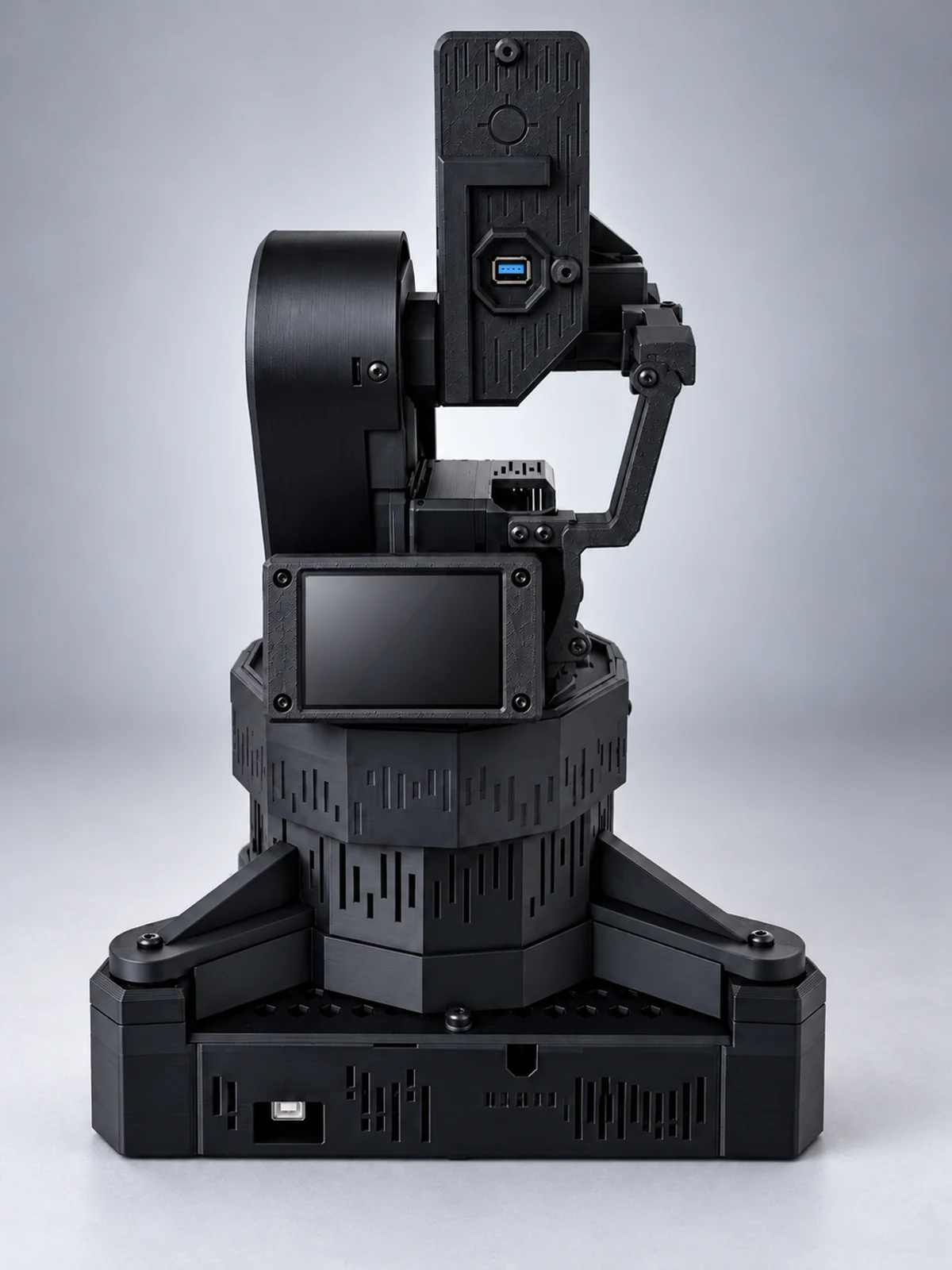
A render of the final build from behind: the camera on top of the head, the head tilting beside the round cover, the screen on the turntable and the drum that pans on the triangular base.
Render · the final build
  • Sub · 01Online

    Three modes

    MANUAL: aim with the mouse, the keys or the stylus. AUTO: it locks on whatever balloon drifts into view. SCAN: it sweeps ±80° looking for one.

  • Sub · 02Online

    Click to lock, drag to follow

    Click a balloon and the head locks on. Lead prediction aims ahead of a moving balloon, and camera-motion compensation tells the balloon's movement apart from the head's own.

  • Sub · 03Online

    It never chases its own dot

    Before each frame reaches the detector, the app paints out its own laser dot. It can't chase what it doesn't see. The alignment tool lines the dot up with the crosshair.

  • Sub · 04Online

    A screen on the tower

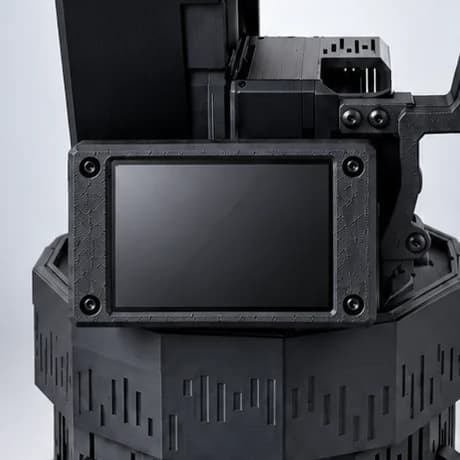
    A 2.8-inch ESP32 touchscreen shows what the turret sees, live over WiFi. Tap to lock, drag to steer, press MODE, RELEASE or HOME. It can never switch the laser on, and when idle it runs a radar for show.

  • Sub · 05Online

    Every hit on the record

    The HUD calls out each lock and each hit as it happens. Every score is logged, so there's always a number to beat.

  • Sub · 06Online

    Try it before the parts arrive

    With the turret plugged in, the app drives it. Without it, the app runs a demo. Learn the controls before the first plate is done.

04 · Telemetry

Spec sheet

Telemetry · build v1 final10 channels
Balloon model
0.92mAP50
YOLO11n, custom-trained on 275 images
Detection
17ms
per frame, on the Mac's CPU
Tracking
24fps
with lead prediction and camera-motion compensation
Lock-on
0.6s
bench test on a simulated still object, not a balloon
Laser switch
Servo
an SG90 presses the pointer's button, only after you enable the laser
Camera
1280×800
Arducam OV9281, global shutter, mono, 80° field of view
Scan arc
±80°
in SCAN mode
Drive
2×NEMA 17
TMC2209 silent drivers, direct pan, belt-driven 5:1 tilt, 6000ZZ bearings
Laser
<1mW
Class 2 red pointer, flashed by the servo on a hit
Print
14plates
about 41 h and 910 g of PLA
05 · Download

What's in the download

This is the Legionary kit, item by item. Recruit includes the first two. Praetorian adds the video course and the build guarantee.

  1. [01]

    Print-ready STL files

    Every printed part of the final v1 build, down to the collet that holds the laser and the servo's finger.

  2. [02]

    14 Bambu Studio plates

    Ready-to-print 3MF plates, sliced and checked for a Bambu Lab P2S, plus a print settings sheet (PLA, 0.2 mm layers).

  3. [03]

    Parts list with buy links

    Every off-the-shelf part with a link to buy it. About $180–260 in total, depending on where you buy.

  4. [04]

    Wiring and assembly guides

    The wiring guides show every connection, with diagrams. The assembly guide goes step by step, up to the first lock-on.

  5. [05]

    Firmware

    For the Arduino UNO that drives the two steppers and the laser servo, and for the 2.8-inch tower screen.

  6. [06]

    Utinvm control app

    The macOS app for Apple silicon: detection, tracking, the HUD, three modes and the score log. It runs a demo until the turret is plugged in.

  7. [07]

    Trained balloon model

    A YOLO11n detector custom-trained on 275 balloon images. mAP50 0.92, 17 ms per frame on the Mac's CPU.

  8. [08]

    Laser alignment tool

    Measures where the dot lands against the crosshair, in pixels and degrees, and you set the aim point from it.

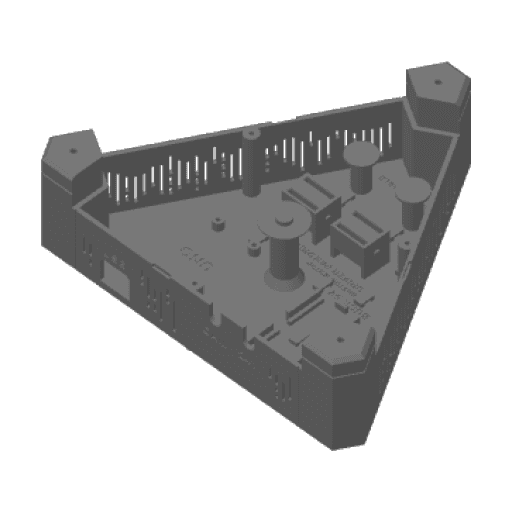
Plate 1 of 14: its parts laid out on the bed, as the slicer shows them.

Plate 01 / 14

Bambu Studio · 3MF

06 · Safety · Lockout

How it stays safe

The laser is a Class 2 red presentation pointer under 1 mW. The turret adds interlocks in software and hardware, and the rules below are not optional.

Rules

  1. R-01Use Class 2 (<1 mW) lasers only.
  2. R-02Never aim at people, animals, vehicles or aircraft.
  3. R-03Indoor use only.
  4. R-04For adults 18 and over only.
  5. R-05Do not stare into the beam.
Laser safety

Interlocks

  • IL-01

    Starts disarmed

    It starts disarmed every time. Disarmed, it scores nothing and the servo never presses the laser's button.

  • IL-02

    Three steps to arm

    Arming takes the 24 V supply switched on, a deliberate command on the Mac and the A key in the app. It needs all three.

  • IL-03

    No score on a face

    The software looks for faces. While the aim point is near one, no hit is scored and the laser stays off.

  • IL-04

    Heads and animals are off-limits

    Balloons near a person's head are ignored, and so are animals.

  • IL-05

    One key to stop

    SPACE stops all motion. Q sends the head home and makes the turret safe. The board lets go of the laser's button by itself on a stop, when the 24 V goes off, or 5 s after the app goes quiet.

  • IL-06

    The screen can't arm

    The stylus can lock, steer, release and send the head home. Arming isn't on the screen at all.

07 · Log

Known limits

  1. LIMIT 01It's tuned for balloons. Other objects need your own training images and your own model.
  2. LIMIT 02Fast-moving balloons can be lost. AUTO and SCAN then sweep to look for them again.
  3. LIMIT 03Pale balloons are harder for the camera to see.
  4. LIMIT 04The laser marks balloons. It never pops them.
  5. LIMIT 05The dot flashes for a moment on each scored hit. It doesn't stay on.
  6. LIMIT 06The control app is macOS only and needs a Mac with Apple silicon.
08 · Rank

Choose your rank

Same turret, three ranks. Pick by how much help you want. Your files download the moment you pay.

Recruit

STL files

$99USD

The printed body only. For makers who'll wire their own electronics and write their own code. No app, firmware or guides.

  • Print-ready STL files for every printed part
  • 14 Bambu Studio 3MF plates, ready to print
  • Print settings sheet
Get the STL files

Legionary

STL files + app + wiring guides

$199USD

The one we recommend. Everything it takes to build and run the turret. You bring the parts, a printer and a Mac.

  • Everything in Recruit
  • Utinvm control app for macOS (Apple silicon)
  • Firmware for the Arduino UNO, the laser servo and the tower screen
  • Trained balloon model
  • Laser alignment tool
  • Wiring guides for every connection, with diagrams
  • Written step-by-step assembly guide
  • Parts list with buy links
  • Free v1 updates
Get the Legionary kit

Praetorian

Guided build

$499USD

Built and working, or refunded

Watch each stage on video before you do it. If your turret still won't lock on a balloon, you're covered.

  • Everything in Legionary
  • Step-by-step video course: printing, assembly, wiring, flashing the boards, laser alignment, the first lock
  • 60-day build guarantee
Get the guided build

New · Pre-order

No 3D printer? We print all 14 plates.

They ship to you in black PLA, ready to build. The full Praetorian kit downloads the day you order.

  • All 14 plates, printed in black PLA
  • Everything in Praetorian, to download now
  • 60-day build guarantee, from delivery

You buy the electronics, screws, power supply and laser pointer yourself (about $180–260 from the parts list).

Done for you

$899USD · + shipping, worldwide

Estimated to ship in 3–4 weeks

Pre-order
  • Charged in full when you pre-order.
  • Cancel any time before it ships for a full refund.
  • If the date slips, we email you and you can cancel.
  • Import duties and taxes in your country are yours to pay.
  • Arrived broken? Send a photo within 14 days and we reprint it.
What each rank gets
What you get$99$199$499
STL files for every printed partIncludedIncludedIncluded
14 Bambu Studio plates and print settingsIncludedIncludedIncluded
Control app for macOS (Apple silicon)Not includedIncludedIncluded
Firmware for the UNO and the tower screenNot includedIncludedIncluded
Balloon model and laser alignment toolNot includedIncludedIncluded
Written wiring and assembly guidesNot includedIncludedIncluded
Parts list with buy linksNot includedIncludedIncluded
Free v1 updatesNot includedIncludedIncluded
Step-by-step video courseNot includedNot includedIncluded
Fix-or-refund promise14 days14 days14 days
Build guaranteeNot includedNot included60 days

PartsThe parts aren't included. Expect about $180–260 in off-the-shelf components, depending on where you buy. You also need a Mac with Apple silicon, basic tools and a 3D printer, unless you pre-order Done for you.

PromiseIf a file won't print, or the software in your kit won't run on a supported Mac, email hello@utinvm.ai within 14 days. We fix it or refund you.

Praetorian · $499

Locked on, or refunded

Praetorian doesn't stop at the download. If your turret won't come together, or won't lock on a balloon, we help you finish it. If it still won't work, you get the kit price back.

Get the guided build
  1. 01Claim within 60 days of purchase. With Done for you, the 60 days count from the day the printed parts arrive.
  2. 02Email hello@utinvm.ai with your order number and where the build stopped. A photo or a screenshot helps.
  3. 03The refund is the kit price, in full.
  4. 04The parts you bought and the filament are yours to keep. They aren't covered.
09 · Parts list

Order the parts while your printer works

Get the complete parts list free. Every motor, board, belt and bearing in one list, so the parts are on their way while the plates print.

No spam. Unsubscribe anytime.

10 · Queries

Before you ask

Adults 18 and over who like to build things. It isn't a toy. You need a Mac with Apple silicon, and either a 3D printer or the Done for you pre-order.

Start printing tonight

Download the files, load plate 1 and order the parts while it prints. Every kit comes with the 14-day promise, and Praetorian adds the build guarantee.